Canva vs Adobe Express vs Figma: Which Design Tool Should You Use?
Canva vs Adobe Express vs Figma compared: free plans, paid prices, AI credits, team features and which design tool suits creators, businesses and product teams.
Key points
- As of 8 November 2026, Adobe lists Adobe Express Premium at US$9.99 a month with no annual commitment, including 250 generative credits a month.
- Adobe Express Teams is listed at US$7.99 per licence a month on annual billing, with a two-seat minimum and a first-year offer of US$4.99.
- Figma's Professional plan lists a Full seat at US$16 a month, a Dev seat at US$12 and a Collab seat at US$3, and its free Starter plan includes unlimited drafts.
- Canva says only one person can hold a Canva Pro subscription, while Canva Business is priced per person and includes up to 100 Brand Kits and 500GB of storage.
- Canva says everyone with a verified Canva account, including Canva Free users, can use its Affinity design app, though Affinity's AI features need a paid Canva plan.
Canva, Adobe Express and Figma are three of the most popular design tools, but they are built for different jobs. Canva and Adobe Express help anyone make social posts, flyers and presentations from templates, while Figma is a collaborative tool for designing apps, websites and prototypes. This guide compares their free plans, paid prices, AI credits and team features as of 8 November 2026, using each company’s own pricing and help pages.
One note before we start: Canva’s pricing page could not be loaded for this guide, and an older Canva page we found showed prices that conflict with Canva’s current plan rules. Rather than quote figures that may be out of date, we describe Canva’s plans without prices. Check canva.com/pricing for the current price in your country.
Canva vs Adobe Express vs Figma at a glance
| Canva | Adobe Express | Figma | |
|---|---|---|---|
| Best for | Quick marketing content, presentations, brand teams | Quick content, especially for people already using Adobe apps | App and web design, prototyping, developer handoff |
| Free plan | Yes (Canva Free), plus free Affinity access | Yes: 5GB storage, free daily AI generations | Yes (Starter): unlimited drafts, 500 AI credits a month |
| Individual paid plan | Canva Pro: one person, flat monthly fee, 30-day trial | Premium: US$9.99 a month, billed monthly, 30-day trial | Professional Full seat: US$16 a month |
| Team plan | Canva Business: priced per person | Teams: US$7.99 per licence a month, annual, 2-seat minimum | Professional (Full, Dev and Collab seats); Organization from US$55 per Full seat a month, billed annually |
| AI allowance | Higher AI limits on Business (no figure published on the page we checked) | 250 generative credits a month on Premium and Teams | 3,000 credits a month per Professional Full seat |
| Brand tools | Up to 100 Brand Kits on Business; unlimited on Enterprise | Brand kits on Premium; brand controls and template locking on Teams | Team libraries of styles and components |
Canva: best for fast, template-led content
Canva is built around templates, so it suits small businesses, marketers, teachers and creators who need finished designs quickly. Canva’s own comparison page sets out how its plans differ:
- Canva Pro is for individuals. Canva says only one person can hold a Pro subscription, which has a flat monthly fee and a 30-day free trial.
- Canva Business is for small businesses, from solo owners to teams. It is priced per person and includes up to 100 Brand Kits with locked templates and permissions, 500GB of storage, real-time collaboration, higher AI usage limits and 10% off Canva Print orders where available.
- Canva Enterprise is aimed at organisations with 100 or more employees or several teams. It adds single sign-on (SSO), SCIM user provisioning, audit logs, unlimited Brand Kits, API access and a dedicated customer success manager.
Canva also owns Affinity, a professional design app. Canva’s help centre says everyone with a verified Canva account, including Canva Free users, can use Affinity. Affinity’s AI tools, such as Generative Fill, Generative Expand and Generate Image/Vector, need a paid Canva plan.
Pros: very easy to learn; strong brand tools on Business; free Affinity access for more detailed work. Cons: we could not confirm current prices from Canva’s site today; Pro covers only one person, so teams need Business.
Canva has also been restructuring this year. Read our report on Canva’s layoffs affecting 1,271 roles.
Adobe Express: best for Adobe users and clear AI credits
Adobe Express is Adobe’s quick design app for social graphics, short videos and documents. It has the most transparent pricing of the three on its official page:
- Free (US$0): no credit card needed, 5GB of storage, free daily AI generations for images, text effects and object insertion or removal, and basic photo, video and document editing.
- Premium (US$9.99 a month): billed monthly with no annual commitment and a 30-day free trial. It adds all premium templates, more than 30,000 fonts, 250 generative credits a month, brand kits, one-click Resize, video background removal and Adobe Stock assets.
- Teams (US$7.99 per licence a month): billed annually but charged monthly, with a two-seat minimum. Adobe was showing a first-year price of US$4.99 per licence a month, after which the regular US$7.99 applies. Teams adds 1TB of pooled storage per user, 180 days of version history, brand controls, template locking, sharing restrictions, an Admin Console and consolidated billing.
- Enterprise: pricing through Adobe sales. It starts at 250 generative credits per user a month and adds features such as user directory sync and user management APIs.
Pros: clear published prices; a generous free plan; generative credits stated per plan; fits well if you already use Photoshop or other Adobe apps. Cons: some figures on Adobe’s own pricing page conflict with each other (for example, storage and template counts differ between its feature summary and comparison table), so check the details that matter to you before buying.
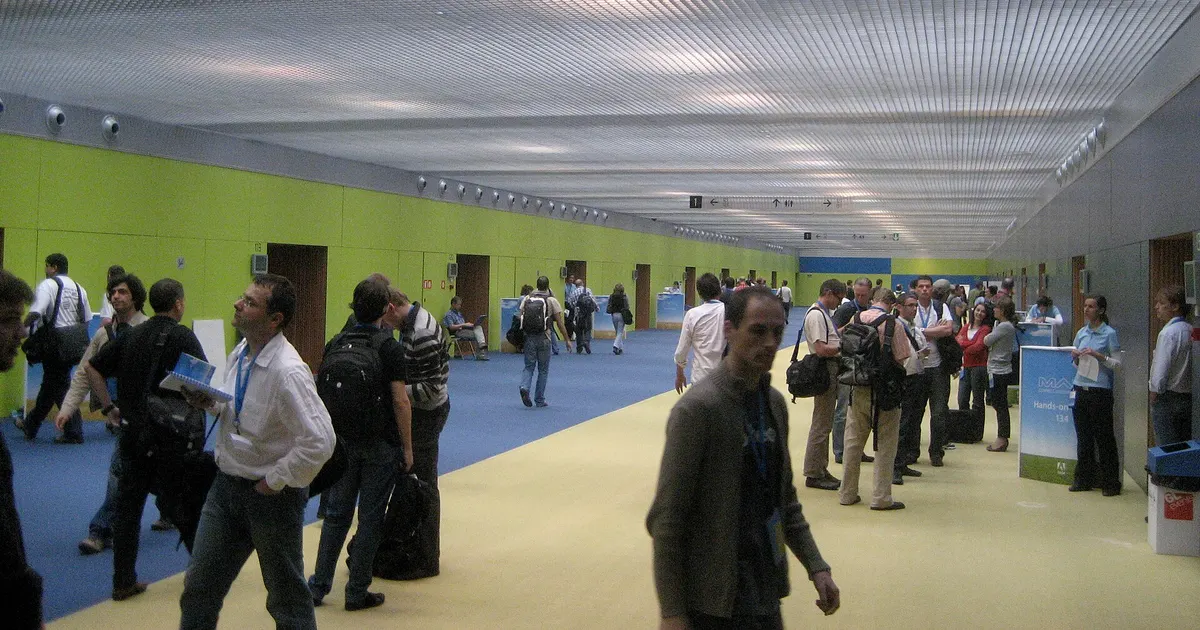
Adobe’s next big product moment is its MAX conference. See our Adobe MAX 2026 preview.
Figma: best for product and UI design teams
Figma is a different kind of tool. Designers use it to build app and website interfaces, prototypes and design systems, and developers use Dev Mode to inspect designs and turn them into code. Figma prices plans by seat type:
- Starter (free): unlimited drafts, UI kits and templates, and basic design file inspection. Figma’s AI credits table gives Starter plans 500 credits per seat a month.
- Professional: Figma lists a Full seat at US$16 a month, a Dev seat at US$12 a month and a Collab seat at US$3 a month. View seats are free. Figma’s help centre says Professional includes Figma Design, FigJam, Slides, Draw, Sites, Buzz, Make and Dev Mode, plus team libraries, unlimited version history and AI tools. A Full seat on Professional gets 3,000 AI credits a month.
- Organization: billed annually, at US$55 a month for a Full seat, US$25 for a Dev seat and US$5 for a Collab seat. It adds unlimited teams, shared libraries and fonts, and central admin tools. Full seats get 3,500 AI credits a month.
Pros: the standard tool for collaborative interface design; separate cheaper seats for developers and occasional collaborators; strong team libraries. Cons: not template-first, so making a quick Instagram post is slower than in Canva or Adobe Express; costs can grow as you add Full seats.
For how Figma’s AI push is doing as a business, read our coverage of Figma’s Q3 2026 earnings.
Which design tool should you choose?
- You run a small business and need social posts, flyers and presentations: start with Canva Free or Adobe Express Free. Upgrade when you need premium templates, brand kits or more AI.
- You already pay for Adobe apps or want a clear AI allowance: Adobe Express Premium at US$9.99 a month, with 250 credits, is the simplest choice.
- You need several people working on one brand: compare Canva Business (per person, up to 100 Brand Kits) with Adobe Express Teams (US$7.99 per licence a month, two-seat minimum).
- You design apps or websites, or hand designs to developers: choose Figma. Start on Starter, then give designers Full seats and developers cheaper Dev seats on Professional.
- You need professional photo or layout editing without a subscription: try Affinity, which Canva says is free with a Canva account.
How to choose in three steps
- List your top three tasks, such as Instagram posts, pitch decks or app screens.
- Test the free plans with those exact tasks for a week.
- Check the official pricing page on the day you buy, in your own currency, and confirm seat minimums and AI credit limits before paying.
Frequently asked questions
Is Canva or Adobe Express better for beginners?+
Both are built for non-designers and offer free plans with templates. Adobe Express Premium has a clear published price of US$9.99 a month and 250 generative credits, while Canva Pro is a single-person plan with a 30-day free trial. Try both free plans with the kind of designs you make most often before paying.
Can Figma replace Canva?+
Usually not for social posts and marketing graphics. Figma is a collaborative design tool for interfaces, prototypes and developer handoff, with Dev Mode and team libraries, while Canva and Adobe Express focus on ready-made templates for quick content. Many teams use Figma for product design and Canva or Adobe Express for marketing.
Which design tool has the best free plan?+
It depends on the job. Adobe Express Free includes 5GB of storage and free daily AI generations, Figma's Starter plan gives unlimited drafts and 500 AI credits a month, and Canva Free users also get free access to Affinity for professional editing.
Sources
- Adobe – Adobe Express pricing: Compare Free & Premium plans
- Figma – Professional plan pricing and features
- Figma – Organization plan
- Figma Help Center – Professional plan overview
- Figma Blog – Updates to AI credits in Figma
- Canva – Canva Enterprise vs Business vs Pro: what's the difference?
- Canva Help Center – Accessing Affinity for free with a Canva account
- Canva Help Center – Billing frequency for Canva plans
- Canva
- Adobe Express
- Figma
- Design tools
- Graphic design
PFM Today Newsroom · News Desk
The PFM Today Newsroom tracks developments across startups, AI, design, business and more. Stories are researched from primary sources and reputable outlets, written with AI assistance, and reviewed against our editorial policy before publishing. Read our editorial policy.