How to Start an Online Store in Pakistan (2026): Step-by-Step Guide
How to start an online store in Pakistan in 2026: what to sell, NTN registration, Shopify vs WooCommerce vs Daraz costs, COD, JazzCash, Raast and couriers.

Key points
- The FBR says an individual is treated as registered once e-enrolled on IRIS, and the 13-digit CNIC then works as the National Tax Number.
- As of 16 November 2026, Shopify's pricing page lists the Basic plan at US$29 a month billed yearly or US$39 billed monthly, with a 2% extra fee when a third-party payment provider is used.
- WooCommerce says its software is free to download and modify, but it runs on a WordPress website, so the store owner pays for hosting.
- Daraz says it charges sellers no listing fee and instead deducts a commission from each order, with the rate depending on the product category.
- Easypaisa says individuals and sole proprietors can become merchants and accept payments by QR code and payment link, with a Rs 500,000 monthly limit shown on its merchant page.
Starting an online store in Pakistan no longer needs a big budget or a developer. You can test products on Daraz or Instagram for close to nothing, then move to your own Shopify or WooCommerce website when sales grow. This guide covers the six steps, from choosing what to sell to getting paid and delivering, with costs and terms checked on official pages as of 16 November 2026.
Step 1: Choose what to sell
Pick a product you can source reliably, price with a margin and ship safely. A few practical tests:
- Can it survive a courier? Fragile, heavy or bulky items cost more to ship and come back damaged more often. Leopards, for example, says it bills parcels larger than 12 × 12 × 12 cm by volumetric weight.
- Is there room for a margin after all costs? Add the product, packaging, delivery, platform fees, returns and tax before you set a price.
- Who else sells it? Search Daraz, Instagram and Google. Heavy competition on the same item usually means a price war.
Step 2: Register with the FBR (and SECP if you want a company)
Most small sellers start as individuals. The FBR says an individual is treated as registered once e-enrolled on IRIS, its online tax portal, and the 13-digit CNIC then works as the National Tax Number (NTN). Companies and associations of persons get a separate seven-digit NTN. Our guide to filing your tax return on FBR IRIS walks through the registration form step by step.
If you want a separate legal entity, for example to bring in a partner or investors, you can register a single member or private limited company with SECP. See our guide on how to register a company with SECP eZfile.
Daraz, couriers and payment gateways each set their own document requirements, so keep your CNIC, a bank account in your or your business’s name and your NTN ready.
Step 3: Pick where to sell
You don’t have to choose just one: you can start on a marketplace or social media and add a website later.
| Daraz | Shopify | WooCommerce | Instagram, Facebook, WhatsApp | |
|---|---|---|---|---|
| Platform cost (as of 16 Nov 2026) | No listing fee | Basic US$29/mo yearly or US$39 monthly; Grow US$79 or US$105 | Software free; you pay for hosting and a domain | No platform fee for an account |
| Per-sale cost | Commission by category, published inside Seller Center | 2% extra on Basic with a third-party payment provider, plus the gateway’s fee | Your gateway’s fee | Courier and payment costs you arrange |
| Customers | Shoppers already on Daraz | You bring the traffic | You bring the traffic | Your followers and ads |
| Payments | Daraz collects and pays you | You connect a gateway or COD | You connect a gateway or COD | COD, wallet or bank transfer |
| Skill needed | Low | Low | Medium (WordPress) | Low |
| Control and branding | Limited | High | Full | Medium |
Daraz says it charges no listing fee and deducts a commission from each order, with rates listed in its Marketplace Commission Structure on Daraz University. Our guide on how to sell on Daraz covers sign-up and payouts.
Shopify lists four plans in US dollars: Basic, Grow, Advanced (US$299 a month yearly, US$399 monthly) and Plus (from US$2,300 a month). It was offering three days free, then US$1 a month for three months. Watch the extra fee for third-party payment providers: 2% on Basic, 1% on Grow and 0.6% on Advanced, on top of what your gateway charges. Prices shown at checkout in Pakistan may differ, so confirm at sign-up.
WooCommerce says it is “free to download and free to modify”. It is a WordPress plugin, so you need a WordPress site and hosting, and you manage updates and security yourself. Our Shopify vs WooCommerce comparison goes deeper.
Instagram, Facebook and WhatsApp are the cheapest way to test demand. You take orders in messages and arrange delivery yourself, so stock and payment tracking are manual.
Step 4: Set up payments
Cash on delivery (COD) is a common way to pay for online orders in Pakistan, so plan for it. The courier collects the cash and sends it to you on its own schedule (see step 5).
Mobile wallets. Easypaisa says individuals and sole proprietors running a small business can become merchants by filling in a KYC form in the app, then accept payments by QR code and payment link. Its merchant page shows a Rs 500,000 monthly receiving and sending limit. JazzCash also offers merchant accounts and an online payment gateway.
Card and wallet gateways. For a website checkout, you need a gateway such as JazzCash, Easypaisa, Safepay or PayFast. Our guide to accepting online payments in Pakistan compares their documents and published fees.
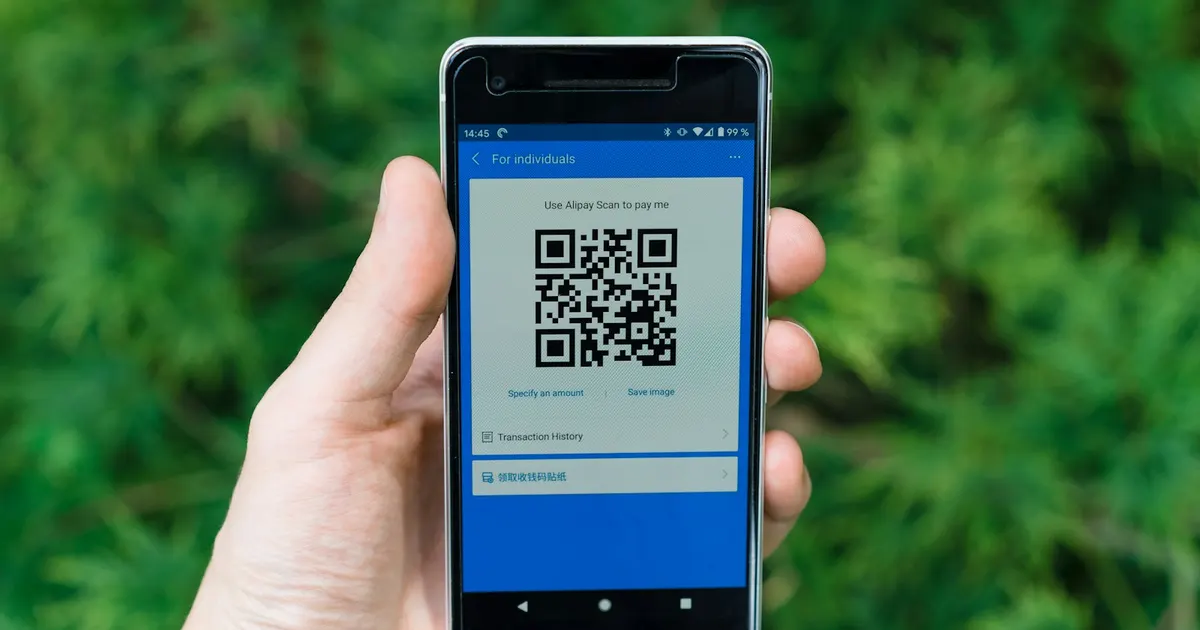
Raast QR. Raast is the State Bank of Pakistan’s instant payment system, and customers can pay merchants by scanning a Raast QR code from their bank app. In a September 2025 circular, the SBP said banks could charge merchants up to 0.25% of the transaction value for onboarding and servicing, while the government subsidised Raast merchant payments from 1 September 2025 to 30 June 2026. Ask your bank for its current merchant charges.
Step 5: Choose a courier
None of the couriers below publishes a rate card on the pages we checked, so ask at least two or three for a quote based on your parcel size and cities.
- Leopards Courier offers Retail COD for occasional sellers: you can register with one parcel at a Leopards Express Center, with a CNIC copy and your bank IBAN, without a corporate account. Leopards says pickup is free, there are no return fees, and COD money is paid weekly to your bank account. Larger sellers can open an Ecom or corporate account.
- M&P says its Retail COD needs a one-time registration per company, after which you drop parcels at your nearest branch. It lists more than 1,600 locations in Pakistan.
- PostEx offers upfront payments on COD orders: you book parcels, PostEx collects them from your door and pays you without waiting for the customer to pay. PostEx says it covers more than 600 destinations, with next-day delivery nationwide and same-day delivery in some cities, and offers integrations with Shopify and WooCommerce.
- TCS has an e-commerce solutions section on its website. A Shopify app from developer Devsol connects stores to the TCS booking panel for bulk bookings and tracking.
Tip: Track your return rate from the start. Refused COD parcels cost you delivery both ways, so call or message customers to confirm orders before you ship.
Step 6: Market your store
- Get the basics right first: clear photos, honest descriptions, sizes, delivery times and a simple return policy.
- Use WhatsApp for service. Quick answers before and after a sale build trust and repeat orders.
- Post consistently on the platforms your buyers use.
- Test small ad budgets on your best product before scaling up.
- Plan for big sale dates such as 11.11 and Ramadan, when shoppers expect discounts.
Pros and cons of each starting route
Marketplace (Daraz): low upfront cost and built-in buyers, but commission on every order and less control over your customer relationship.
Own website (Shopify or WooCommerce): your brand, your data and full control, but monthly or hosting costs and you must bring every visitor.
Social selling: free to start and personal, but manual work and harder to scale.
Frequently asked questions
Can I start an online store in Pakistan without money?
You can start with very little by listing on Daraz, which says it has no listing fee, or by selling through social media. You still need money for stock, packaging and delivery.
Can I use Shopify in Pakistan?
Yes. Shopify’s plans start at US$29 a month on yearly billing as of 16 November 2026. You can take cash on delivery or connect a local gateway such as Safepay or PayFast, which have Shopify apps, and Shopify adds its third-party payment fee on top.
Frequently asked questions
How much does it cost to start an online store in Pakistan?+
You can start for almost nothing by selling on Daraz, which says it charges no listing fee, or through Instagram, Facebook and WhatsApp. Your own website costs more: Shopify's Basic plan is US$29 a month on yearly billing as of 16 November 2026, while WooCommerce is free software but needs paid hosting. Stock, packaging and courier charges come on top in every case.
Do I need to register a business to sell online in Pakistan?+
Many small sellers start as individuals. The FBR says an individual is registered once e-enrolled on IRIS, and the CNIC then works as the NTN. If you want a separate legal entity, you can register a company with SECP. Couriers, payment gateways and Daraz each set their own document requirements, so check them before you apply.
Which courier is best for cash on delivery in Pakistan?+
It depends on your volume and cities. Leopards offers Retail COD for occasional sellers with weekly payouts to a bank account, M&P lists Retail COD across more than 1,600 locations, and PostEx offers upfront payments on COD orders. None of the three publishes rates on those pages, so ask each for a quote.
Sources
- FBR – Register for Income Tax (checked 16 November 2026)
- Shopify – Pricing (checked 16 November 2026)
- WooCommerce – Download WooCommerce: step-by-step guide (checked 16 November 2026)
- Daraz – Sell on Daraz (checked 16 November 2026)
- Easypaisa – Become an Easypaisa merchant (checked 16 November 2026)
- State Bank of Pakistan – Allocation of subsidy for Raast P2M QR payments (PSPOD Circular 3 of 2025)
- Leopards Courier – Ecommerce: Economy, Overnight and Retail COD (checked 16 November 2026)
- PostEx – Upfront payments on cash on delivery orders (checked 16 November 2026)
- PostEx – FAQs (checked 16 November 2026)
- M&P – Retail COD (checked 16 November 2026)
- Shopify App Store – TCS Courier Pakistan (by Devsol)
- Online store Pakistan
- Shopify
- Daraz
- Cash on delivery
- Easypaisa
- Small business

PFM Today Newsroom · News Desk
The PFM Today Newsroom tracks developments across startups, AI, design, business and more. Stories are researched from primary sources and reputable outlets, written with AI assistance, and reviewed against our editorial policy before publishing. Read our editorial policy.